
AI compliance software that runs on your machine — no cloud account.
The TSMONDO AI Manager takes one AI use case at a time through classification, roles and obligations under the EU AI Act, builds the ISO/IEC 42001 management system around it, and prepares the handover to your data protection officer. Locally, on Windows, with your data staying where it is.
Last updated: 30 August 2026
Local · no cloud requirement · one licence per company, unlimited users · price band by company size · from EUR 49 per month or EUR 499 per year net · business (B2B)
What applies
From “are we even in scope” to a documented file
One licence for the whole company — every building block included, no per-module fee.
Risk triage in plain language
46 pre-classified use cases
AI risk management
30 templates, already filled in
The handover to your data protection officer
Renewal without paperwork
The management system, not just the checklist
The regulation says what has to be achieved. ISO/IEC 42001 gives it a structure — and the AI Manager builds both at once instead of twice.
- Scope and context of the AI management system (clauses 4 and 5)
- Risk assessment and treatment, with the statement of applicability under 6.1.3
- The 38 Annex A controls with applicability, justification and implementation status
- Monitoring, internal audit and management review (clauses 9 and 10) with due dates
- An open-points register for the whole organisation: whatever comes up in operation, in a review or after an incident, with the corrective action, the owner and the date it is due — and the evidence document that follows from it
- A conformity report per AI system, derived across the crosswalk from the regulation to the standard
The AI Manager is a working tool, not a certificate. It does not reproduce the text of the standard and it does not replace a certification audit. It builds the structure and the documentation; it is not a complete operating tool for the management system. For fifteen of the seventy clause points the note inside the application says so plainly — among them metrics with a trend (9.1), the audit programme (9.2), the management review (9.3) and developing your own models (Annex A.6).
Local instead of cloud — your data stays yours
An AI inventory is a map of where your company uses automated decision-making, on whose data, with which weaknesses. That is not a record to hand to a third-party cloud database.
- Runs locally on Windows — no cloud account, no registration, no data leaving your control
- Optional local AI drafting help through Ollama on your own machine; nothing is sent anywhere
- Back-up and export in your own hands at any time
- One price for the whole company, set by company size, instead of a per-seat cloud subscription
The local AI assistant — if you want it
The optional AI assistant runs entirely on your own machine: no cloud account, no registration, nothing sent to third parties. One installer sets up the local AI runtime Ollama together with the English TSMONDO model for the AI Manager. The AI Manager picks that model up on its own. One caveat if you also run the German TSMONDO apps on the same machine: both models share a name prefix, so check the model selector under Settings once.
Free · Windows 10/11, 64-bit · optional · digitally signed. The AI Manager works fully without it. An internet connection is needed once during setup; after that the assistant works offline.
Not an empty framework, but a populated baseline
The AI Manager ships with the structure of the regulation and of the standard, and with content you can start from.
The AI policy is more than a heading list. It sets out which uses are allowed and which are not, how to handle confidential information, how to handle personal data, an approval route in five stages, what has to be documented, and how output is checked for quality and plausibility. Eleven training modules cover the AI literacy obligation under Article 4, with the participants recorded by name.
From a specialist, built on the official texts
Not a resold platform, but the practice of a single expert — with the credentials that go with it and a basis in the source text itself.
One point of contact with the right qualifications
- ISO 27001 Lead Auditor and Lead Implementer
- ISACA CISM (Certified Information Security Manager)
- Certified data protection officer and IT security officer (TÜV)
- Member of the Alliance for Cyber Security (BSI, Germany)
On the source, not on a summary
- Built on Regulation (EU) 2024/1689, including the July 2026 amendment
- Structured along ISO/IEC 42001, from scope to management review
- Wording paraphrased throughout — no standard or legal text is reproduced
Organisations in industry, media, healthcare, the public sector and digital platforms work with TSMONDO — on security, NIS2 and data protection.


Data protection · datenschutzeinfach.com


Named with permission. Full list at tsmondo.de/referenzen and datenschutzeinfach.com/referenzen.
Nine steps, and you are through
The wizard asks in the order the regulation is built. You answer, it classifies, and the documents come out at the end already filled in.
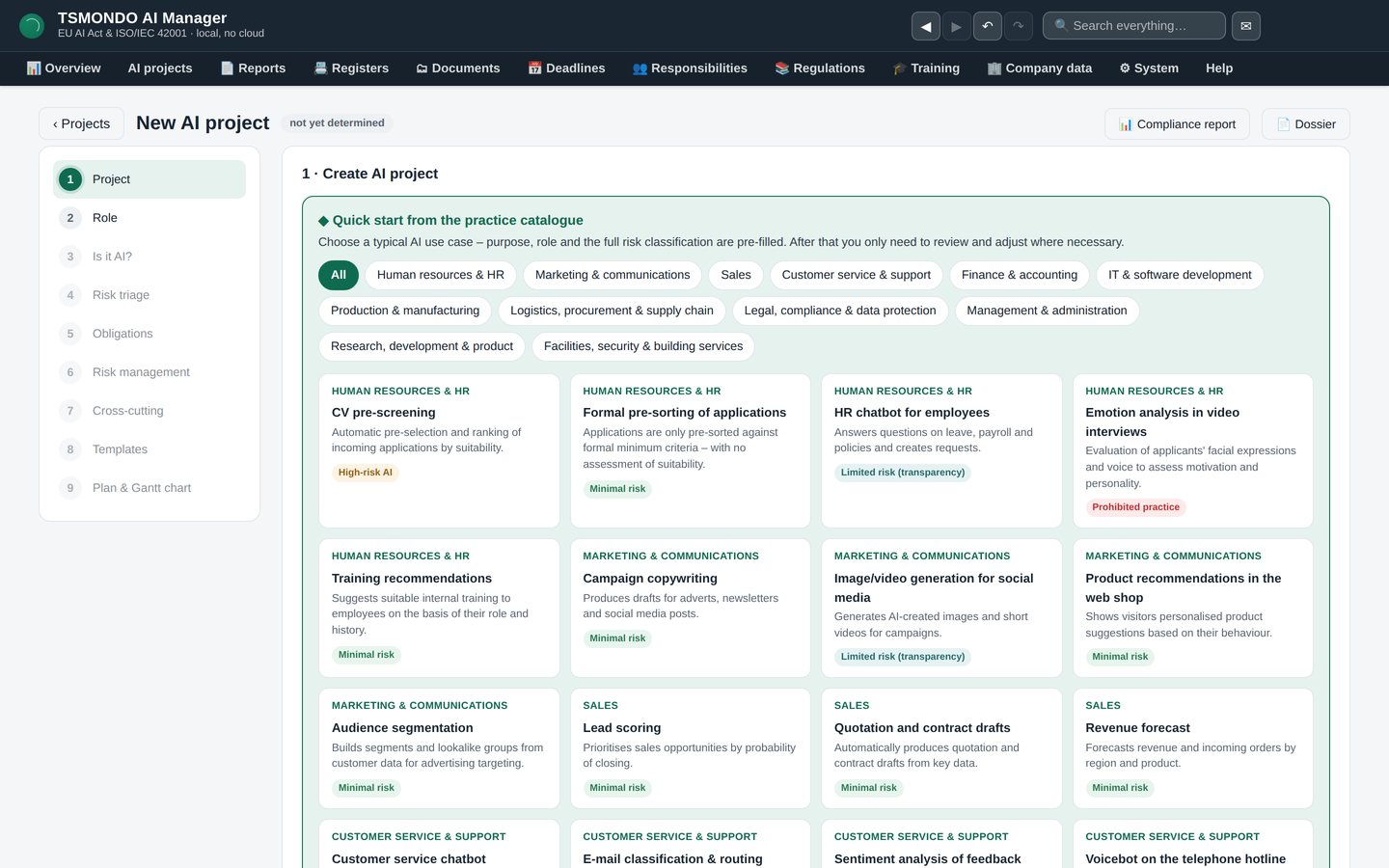
Start from a catalogue, not a blank page
Pick the use case that resembles yours. Each entry arrives with its role, its answers and its risk class already set, so a first classification is on screen before you have typed anything. Adjust from there instead of starting from nothing.
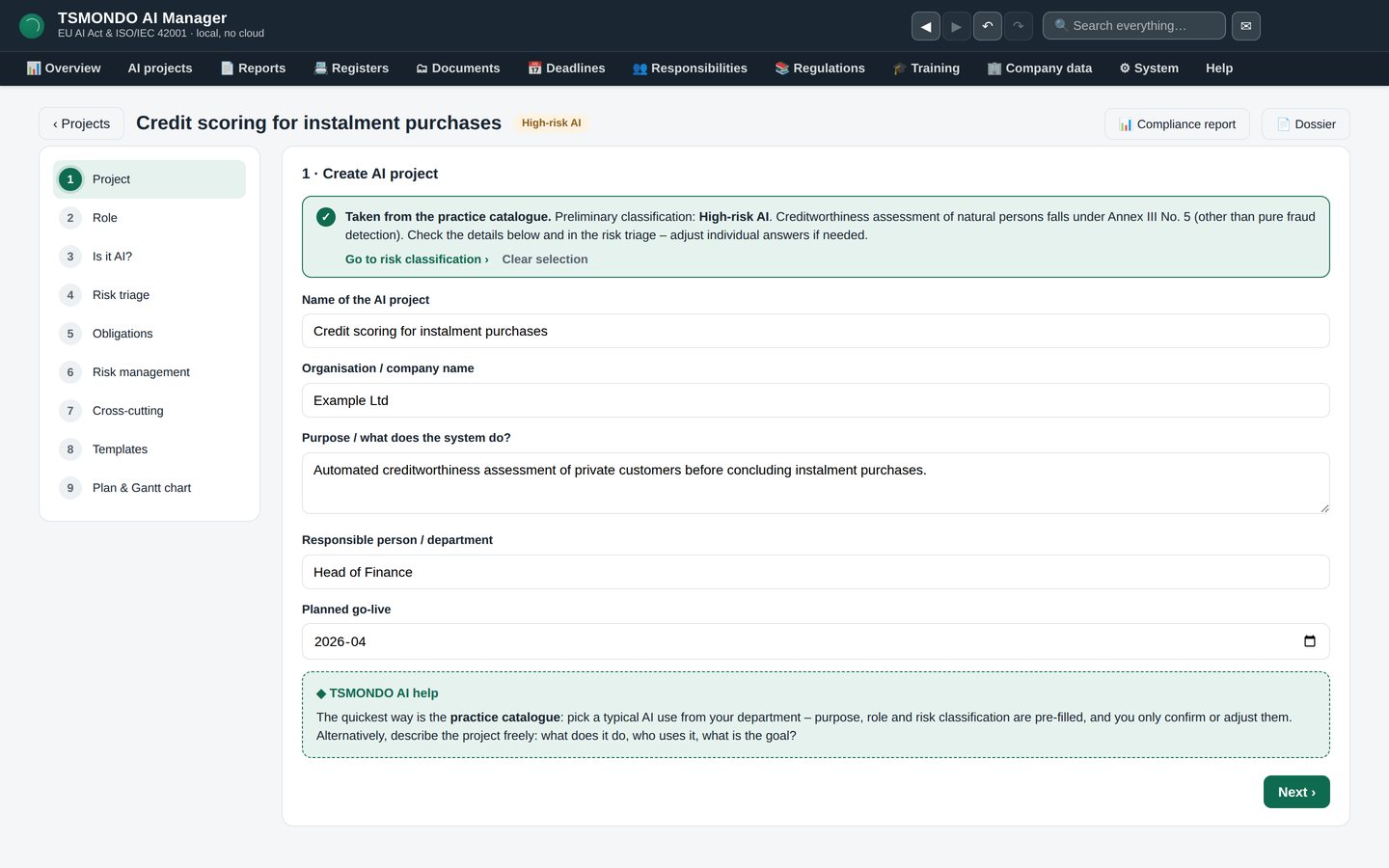
Step 1 · Project
Name, purpose, owner, go-live date. Four fields, because everything that follows refers back to them — and because the owner is the person an auditor will ask for.
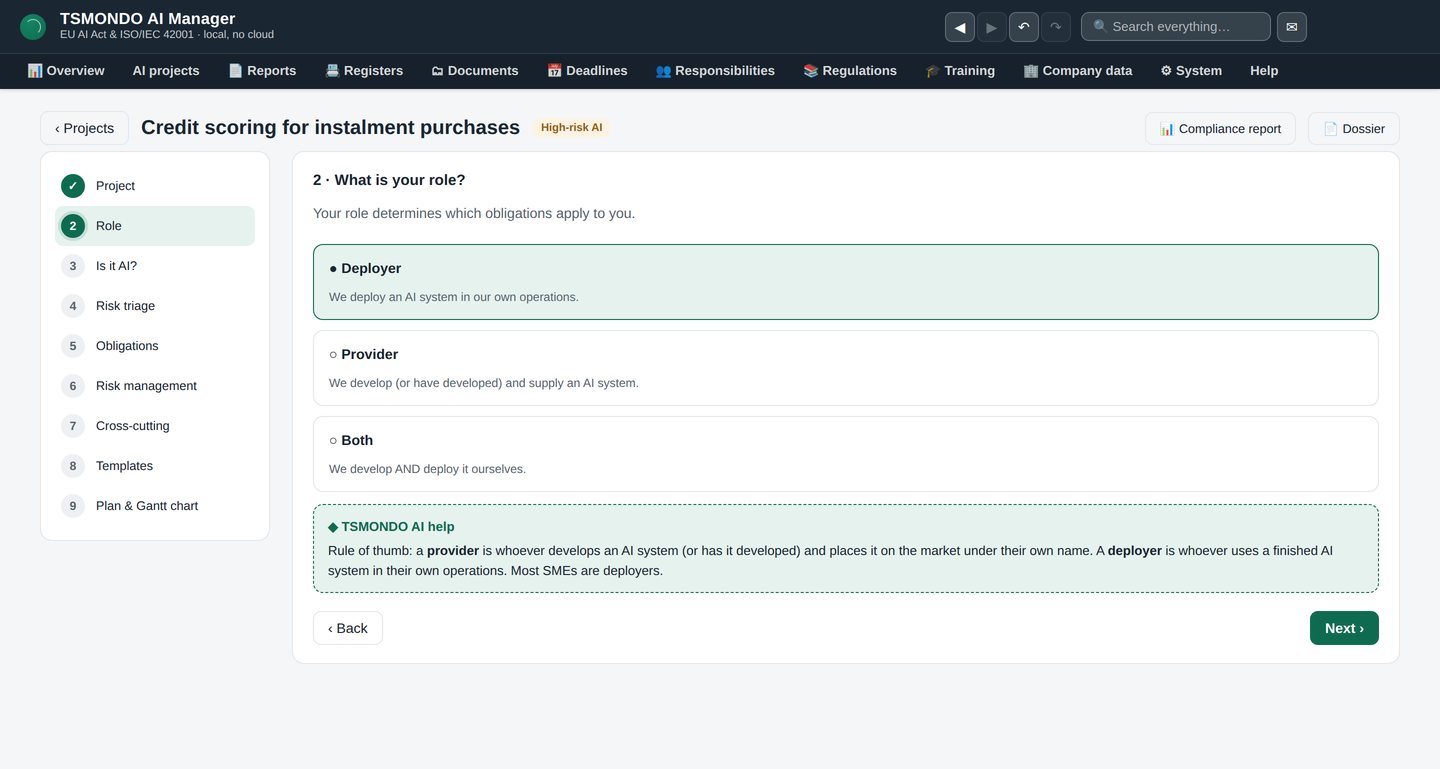
Step 2 · Your role
Provider or deployer. This single answer decides which obligations apply to you. It also catches the case that surprises most companies: placing a system on the market under your own name turns a deployer into a provider.
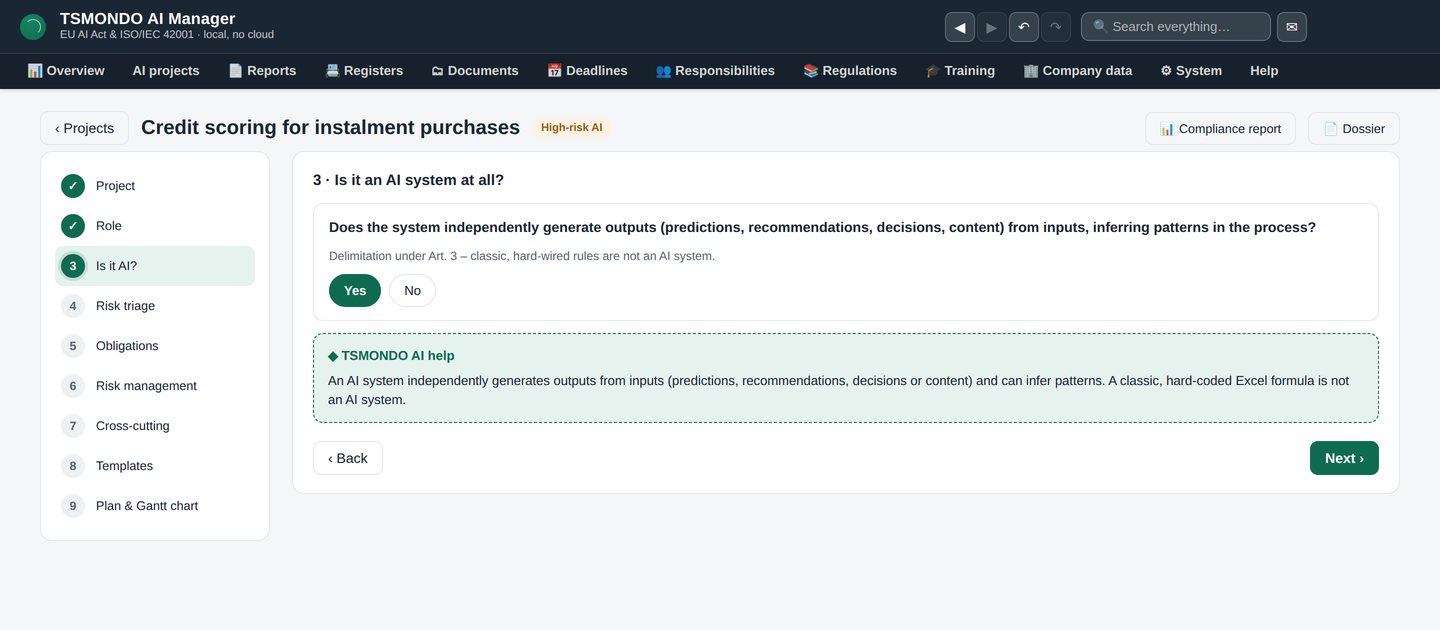
Step 3 · Is it an AI system at all?
Not every piece of automation falls under the regulation. This step separates rule-based software from AI in the sense of Article 3 — and if the answer is no, you are finished here.
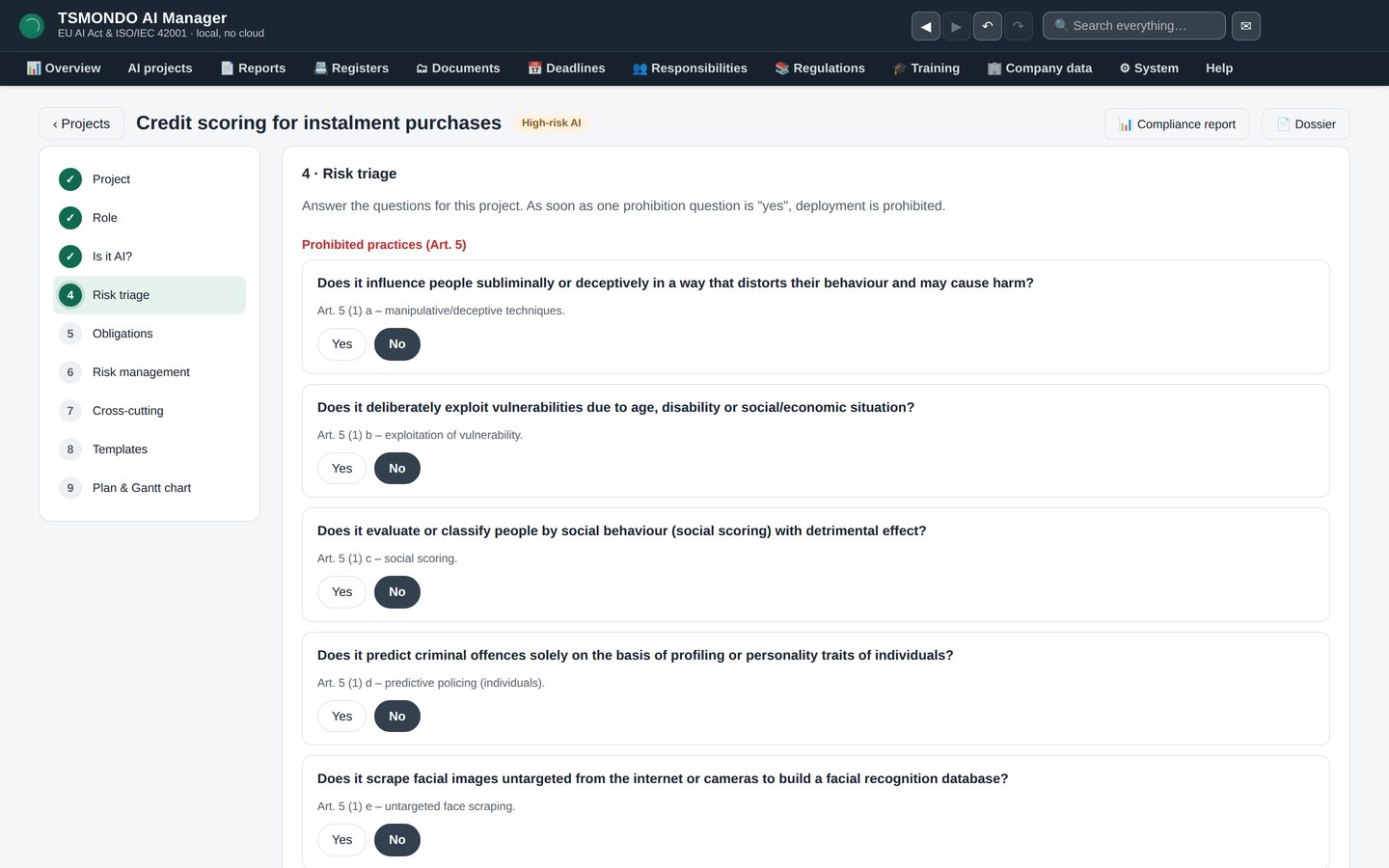
Step 4 · Risk triage
Prohibited practice, high-risk, transparency obligation or minimal risk. The result never appears on its own: it comes with the reasoning that produced it, so you can show later why you classified it the way you did.
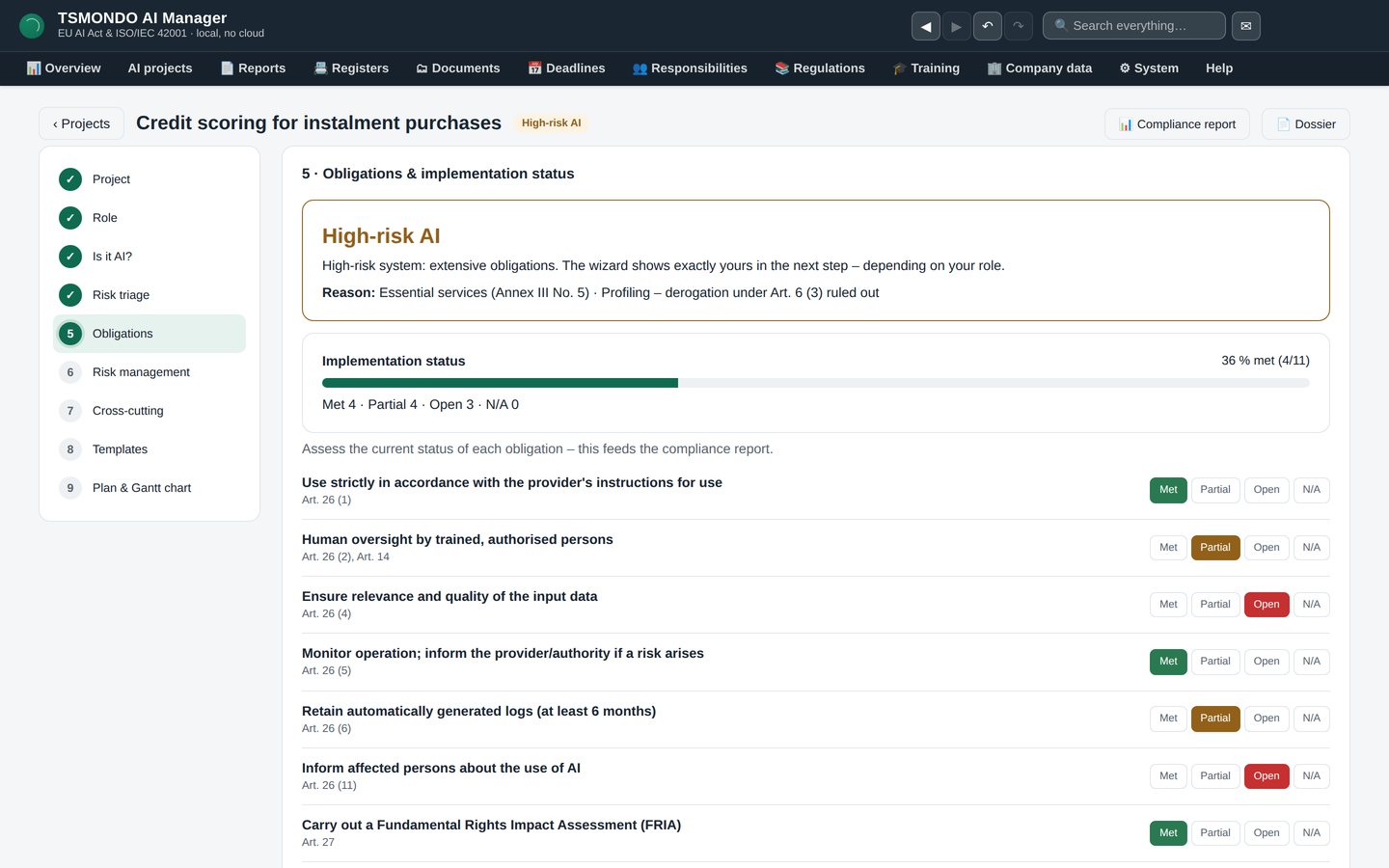
Step 5 · Obligations and where you stand
The duties that follow from the classification, each with its implementation status. This is the list that turns a legal text into a work plan.
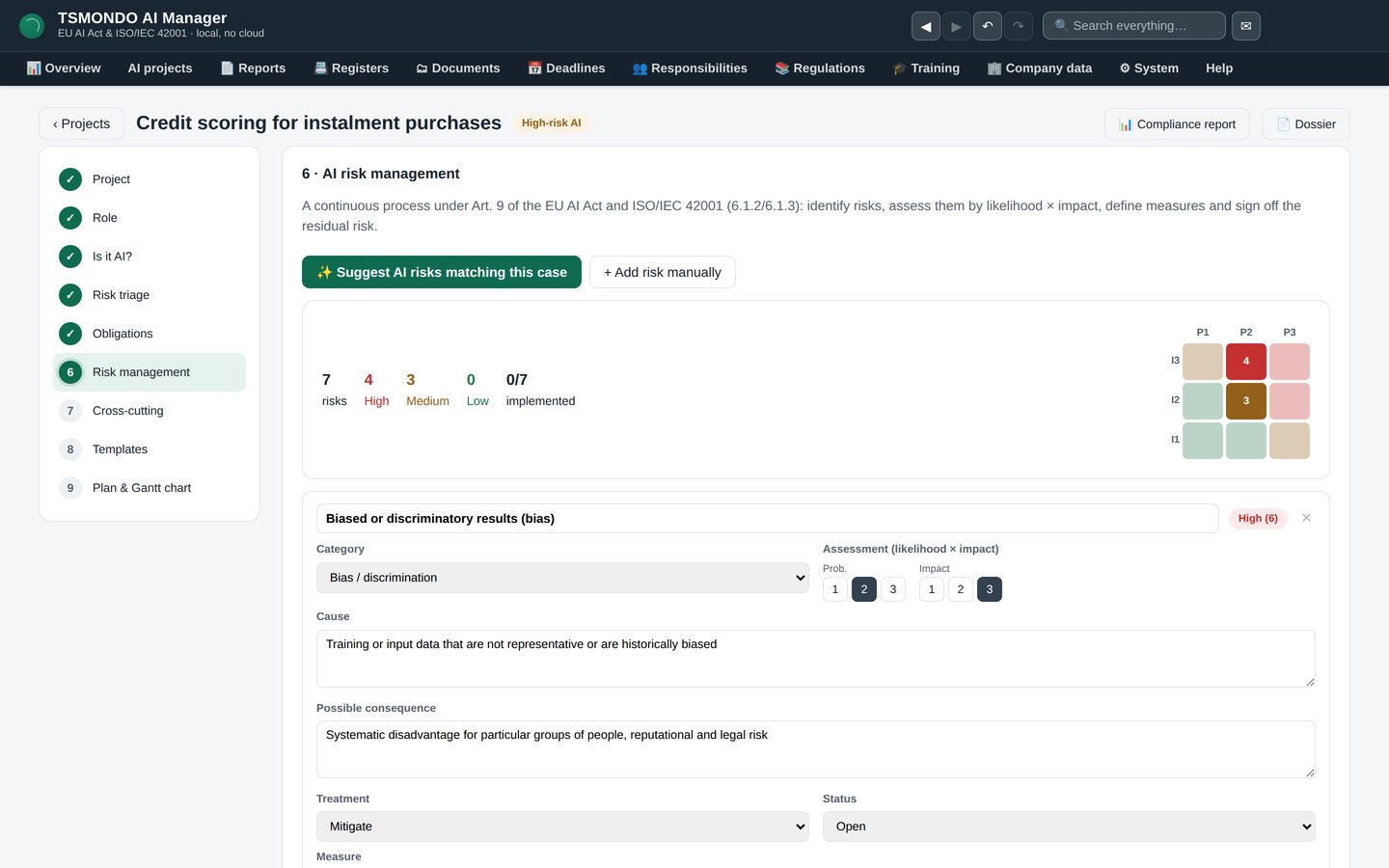
Step 6 · AI risk management
Risks per system with treatment and residual assessment. Article 9 asks for a continuous process, not a one-off assessment — so the register stays with the system rather than being filed away.
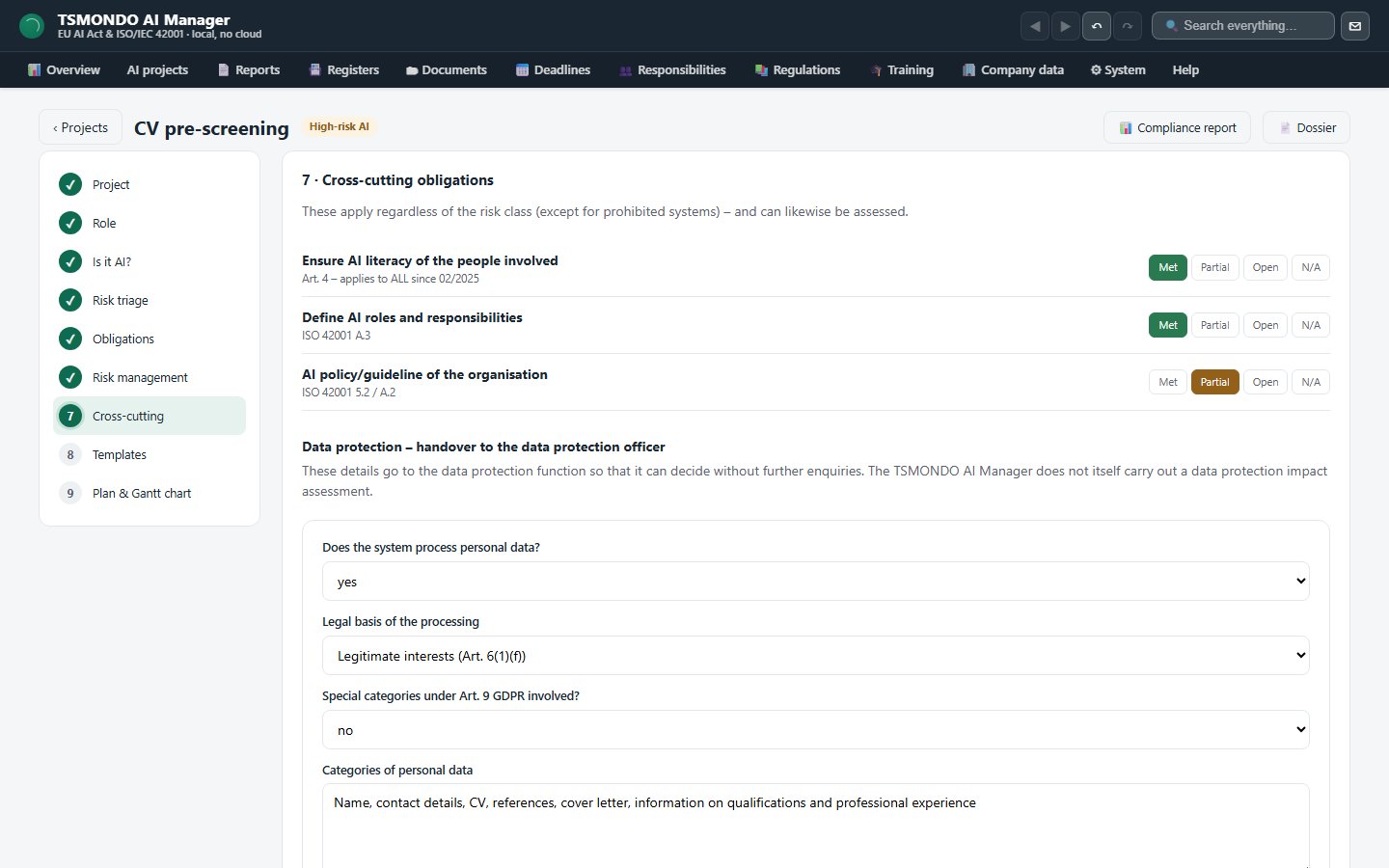
Step 7 · Cross-cutting obligations
AI literacy under Article 4, human oversight, record-keeping: the duties that apply across the whole organisation rather than to a single system. Article 4 has applied since February 2025 and has no size threshold. This step also holds the data protection block: ten questions on the processing and the Art. 35 threshold assessment against nine criteria, which together produce the handover document for your data protection officer — with the decision itself left to them.
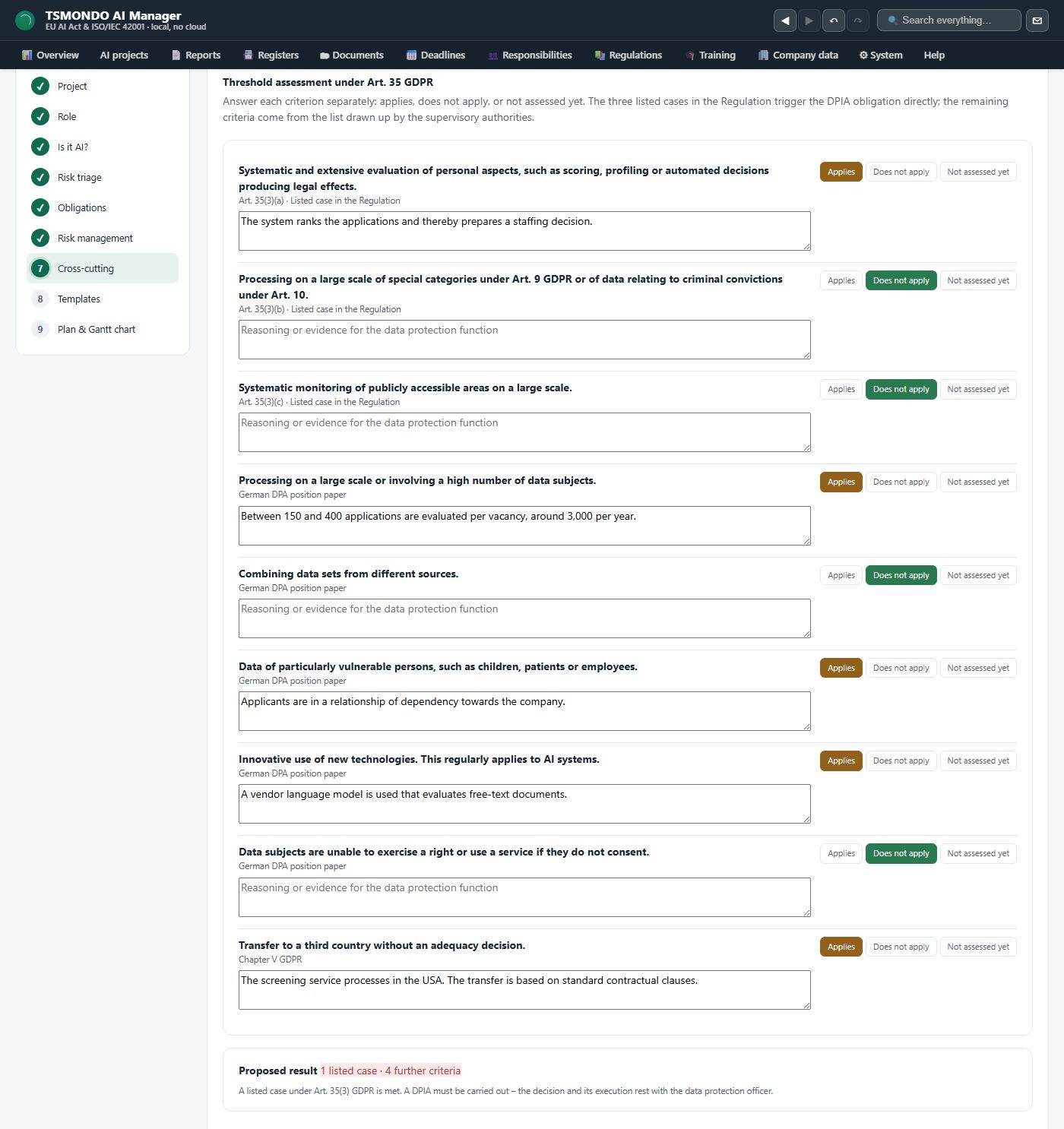
Step 7 · The nine criteria
Three cases the Regulation lists itself, then the criteria the supervisory authorities added, then the third-country transfer — each row naming the source it rests on. Ticking one asks for a reason in the same breath, and it is the reasons, not the ticks, that the handover document later carries.
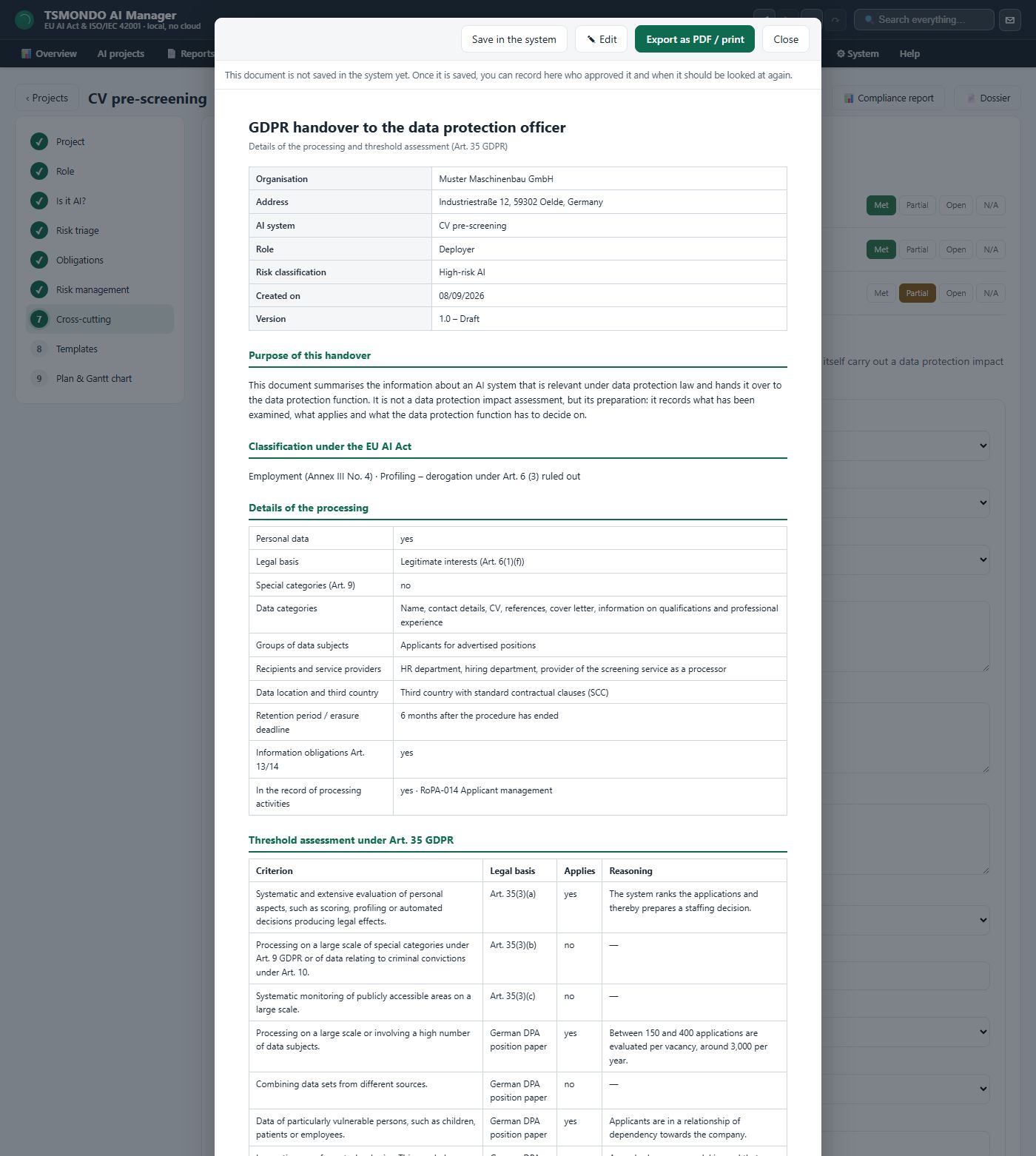
Step 7 · The handover document
The document as it opens: header data, purpose, classification, the processing details and the threshold assessment as a table with a reason on every line. The purpose paragraph says it outright — this is not an impact assessment but its preparation. The decision block underneath stays empty, because filling it in is the data protection officer's job and not the software's.
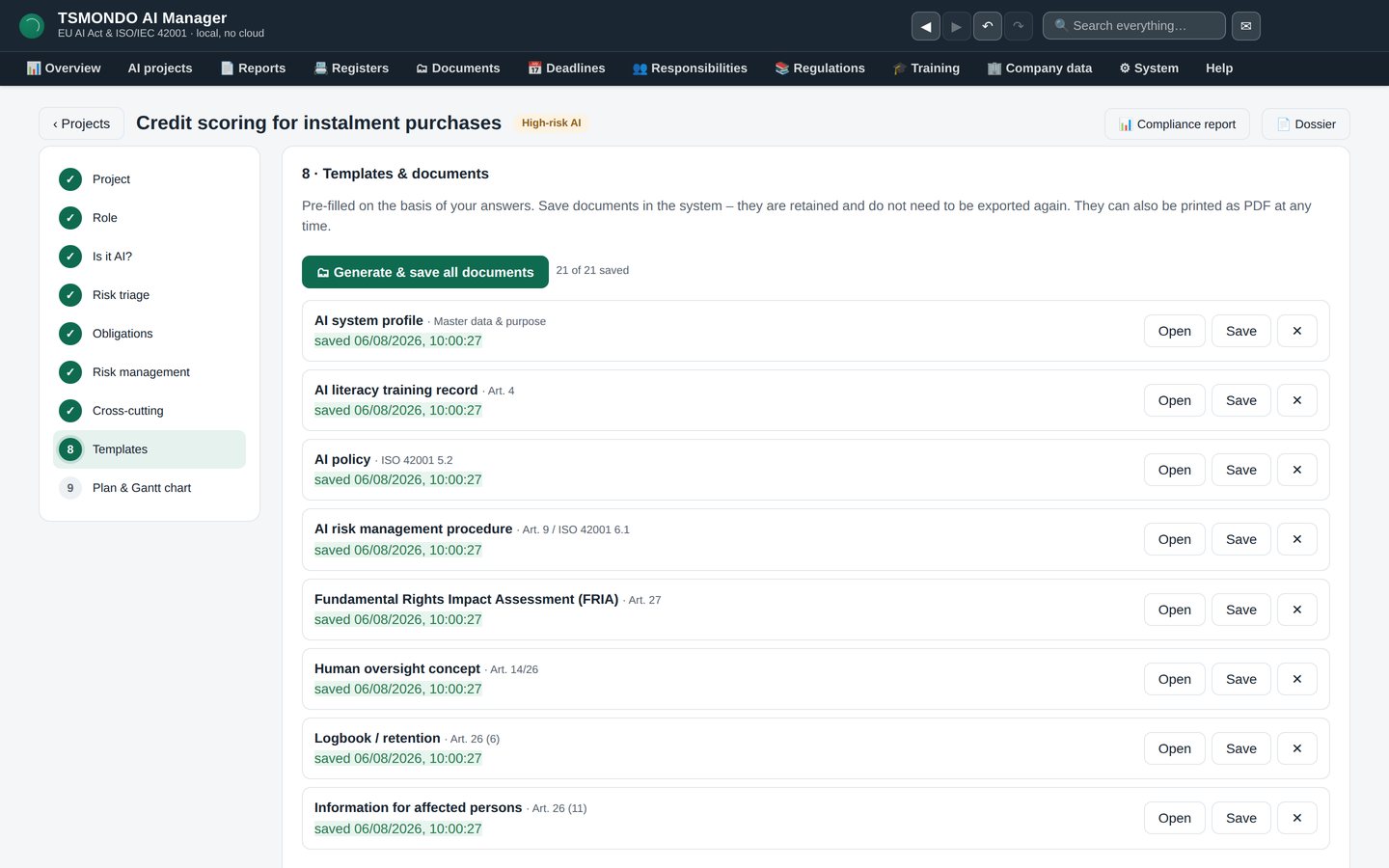
Step 8 · Templates and documents
Fourteen generators in this step, pre-filled from your answers: fundamental rights impact assessment, system profile, technical documentation, declaration of conformity, operating instructions, transparency notice. Editable before you print.
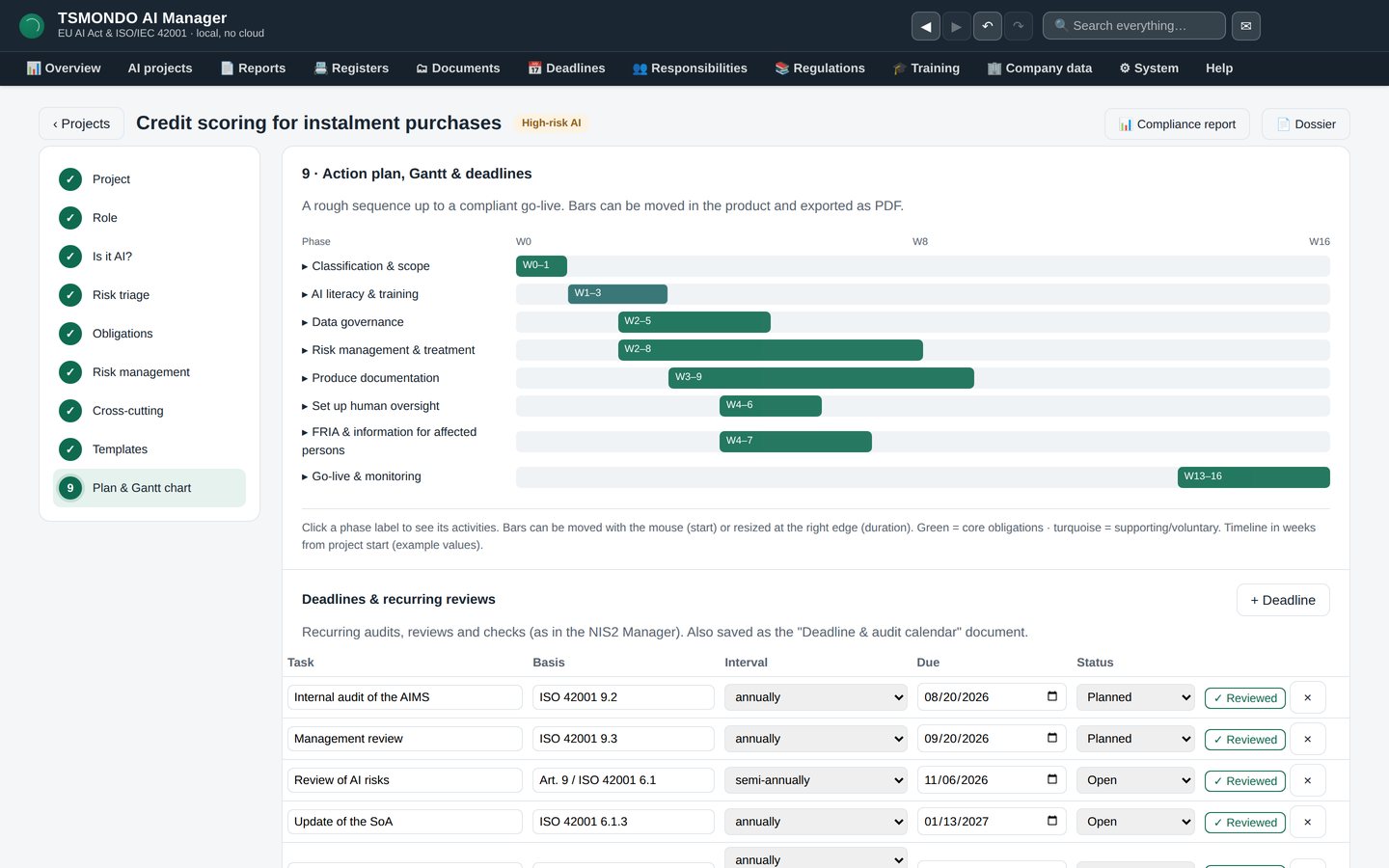
Step 9 · Action plan, Gantt and deadlines
What has to happen by when, on a chart you can drag. The recurring obligations — internal audit, management review, SoA update — become dated entries instead of good intentions.
What the rest of the application does
Beyond the wizard, the AI Manager is the place where the evidence lives.
Overview
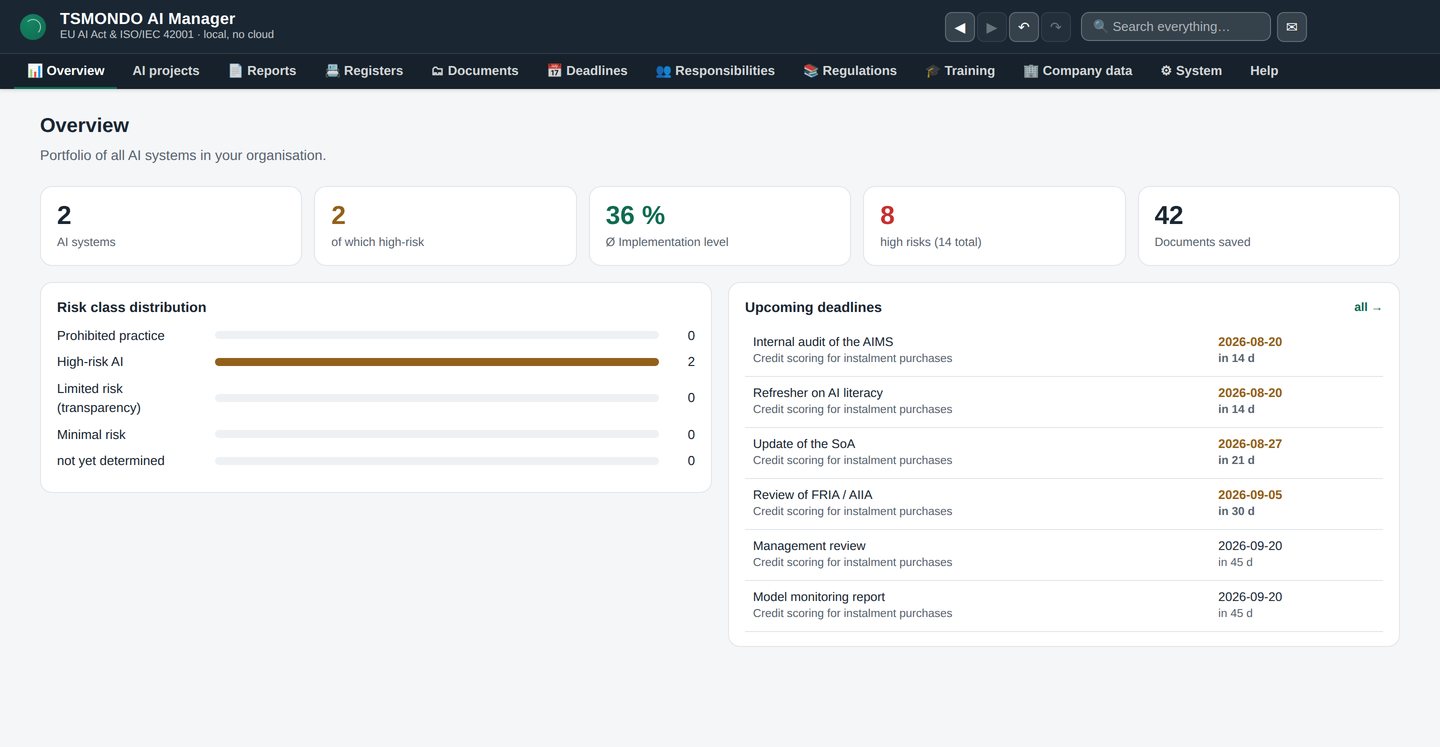
Every AI system in the organisation on one screen: how many there are, how many are high-risk, the average implementation level, open high risks, documents on file — and what falls due next.
AI projects
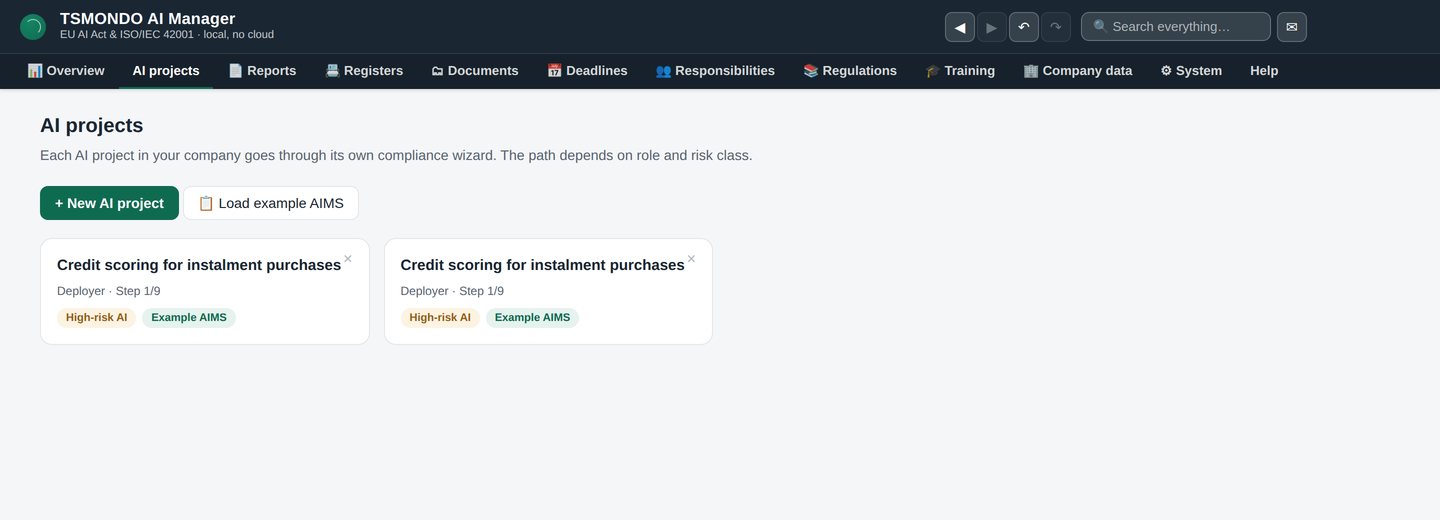
The portfolio. Each system with its risk class and how far it has been worked through, so you can see at a glance where the gaps are.
Registers
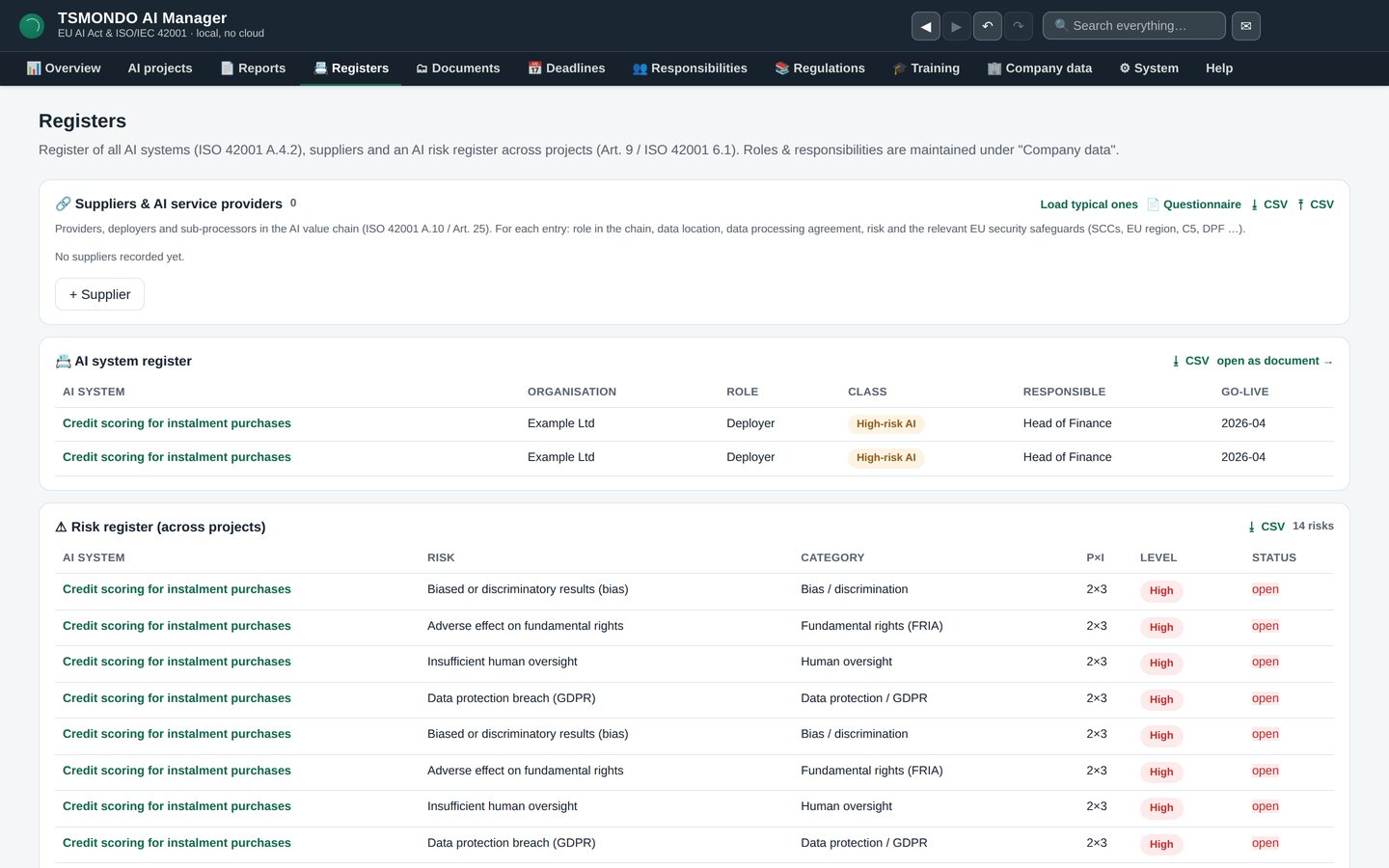
The AI system register and the cross-project risk register, plus roles and suppliers. Beside them the open-points register, where anything noticed in operation, in a review or after an incident is recorded with its corrective action and its due date, and turned into the evidence document. This is what a customer or an auditor asks to see first.
Documents
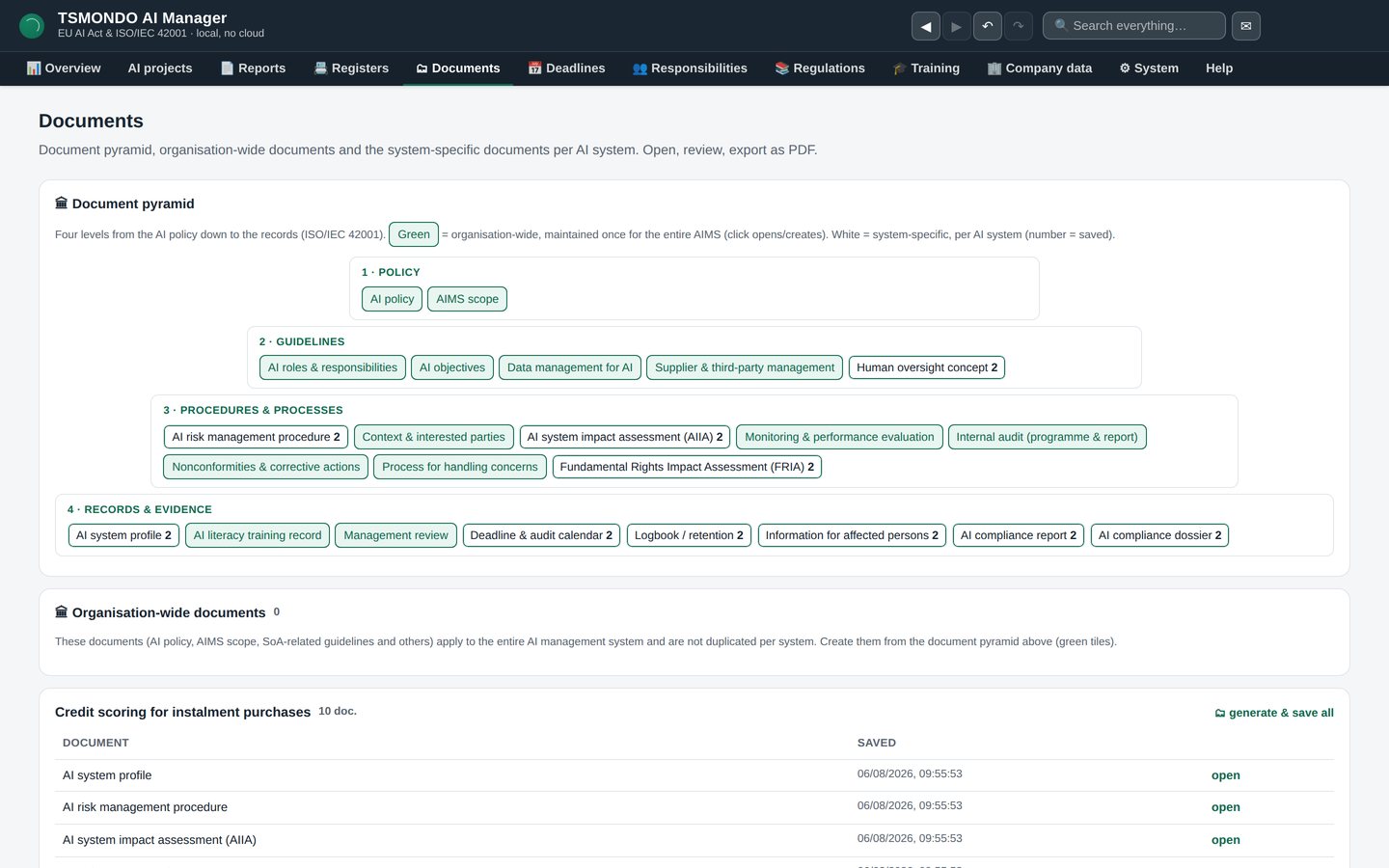
Every generated document per system, editable in place and saved with the system it belongs to. Each one now carries a version, a status — draft, approved, needs revision — the name of whoever approved it, the date they did, and the date it comes back up for review, in place of the fixed 1.0 draft label. No hunting through folders for last year's version.
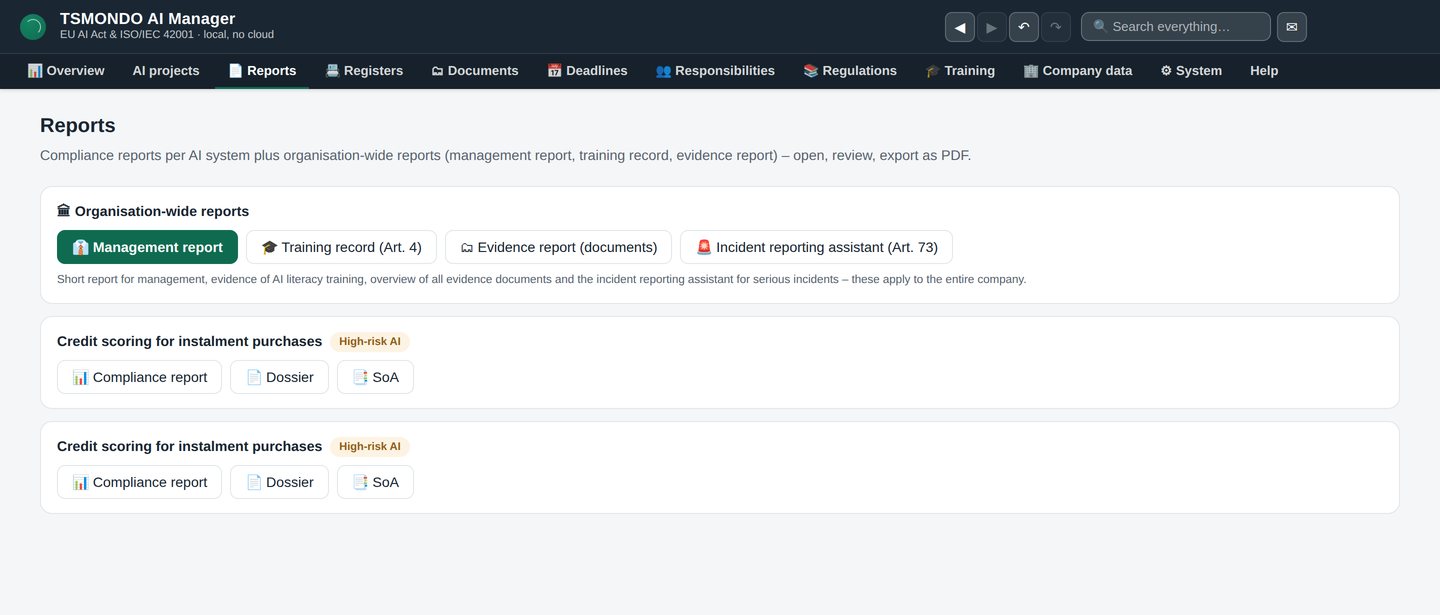
Reports
Conformity report, dossier and statement of applicability per system — generated without walking back through the wizard.
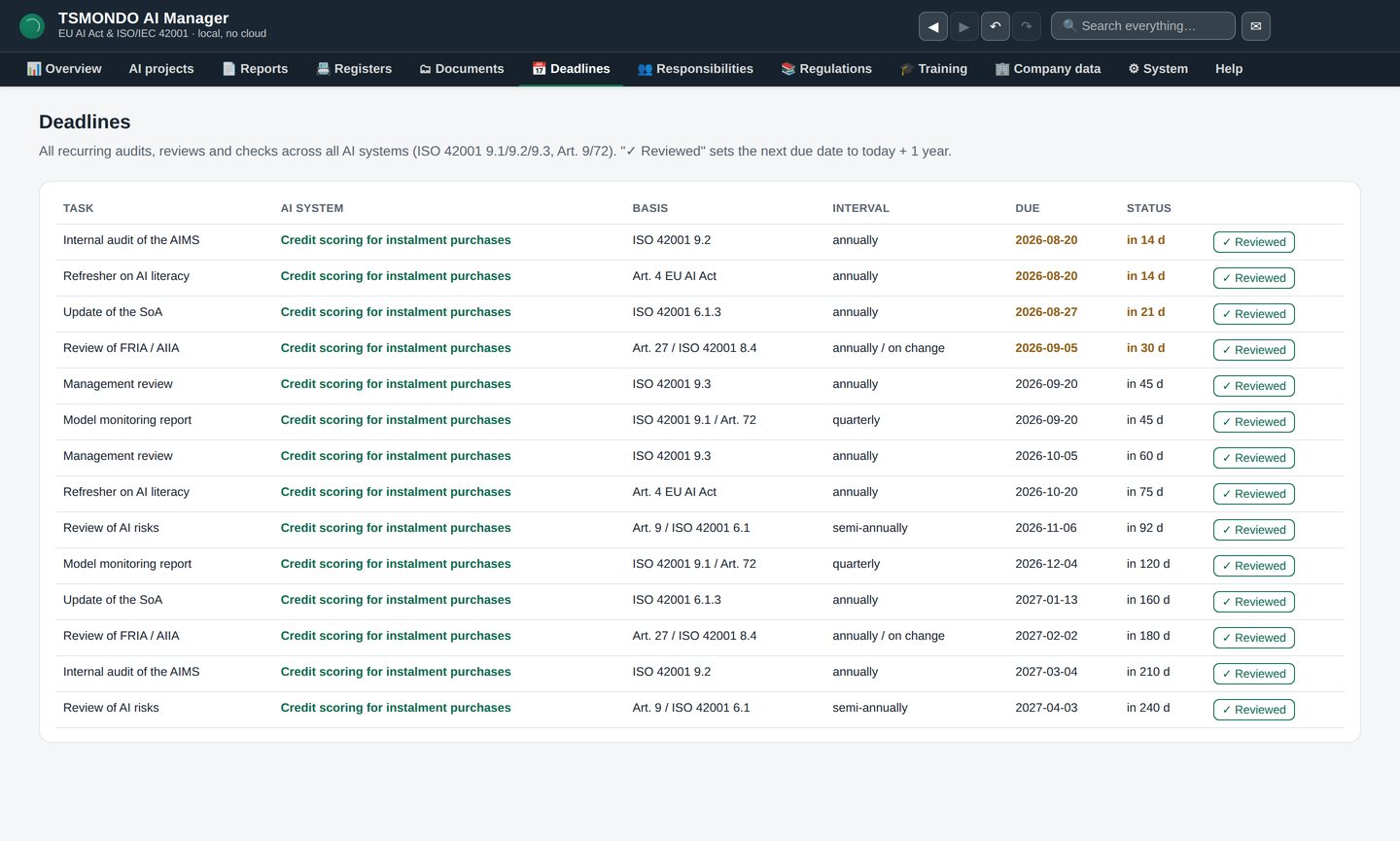
Deadlines
Every recurring obligation across every project, sorted by date, with what is close and what is overdue marked. Next to your own dates sits the statutory timeline: eleven dates from the AI Act, each line naming the provision it rests on, including the two high-risk deadlines moved by the Digital Omnibus Regulation (EU) 2026/1744 — Annex III to 2 December 2027 and Annex I to 2 August 2028. A management system without a calendar is only a set of documents.
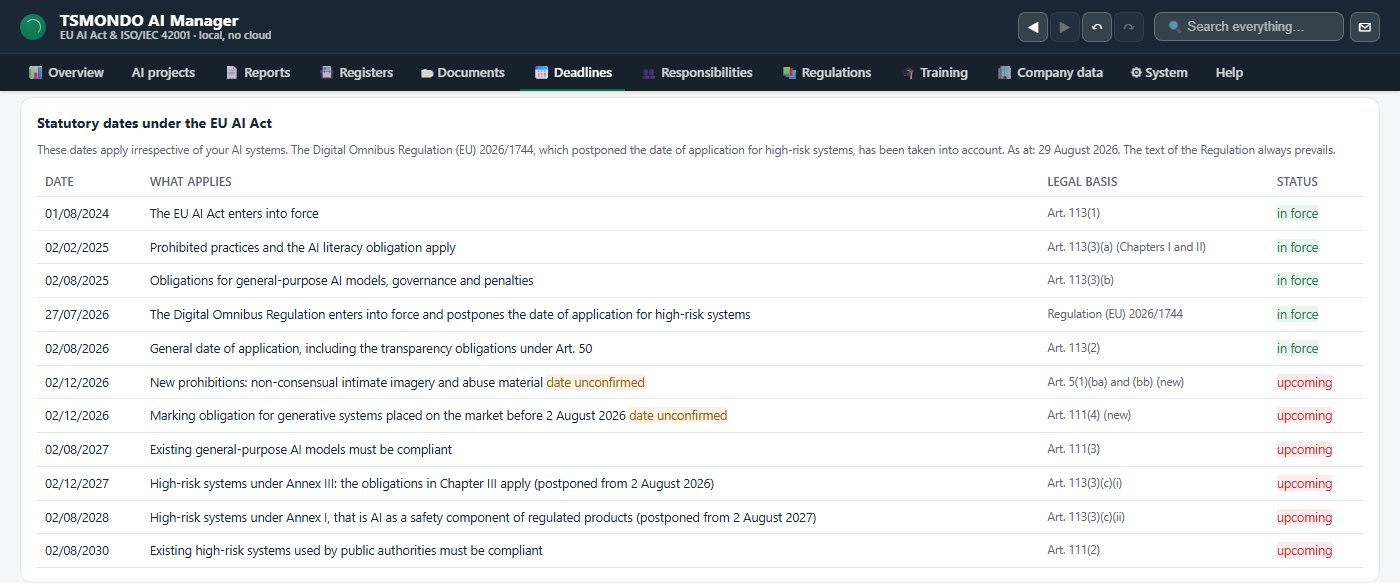
The statutory timeline in full
From the Act entering into force in August 2024 to the 2030 deadline for the high-risk systems public authorities already run. These are dated obligations rather than a news summary — and where a date is not yet settled, the row says so instead of presenting it as fixed.
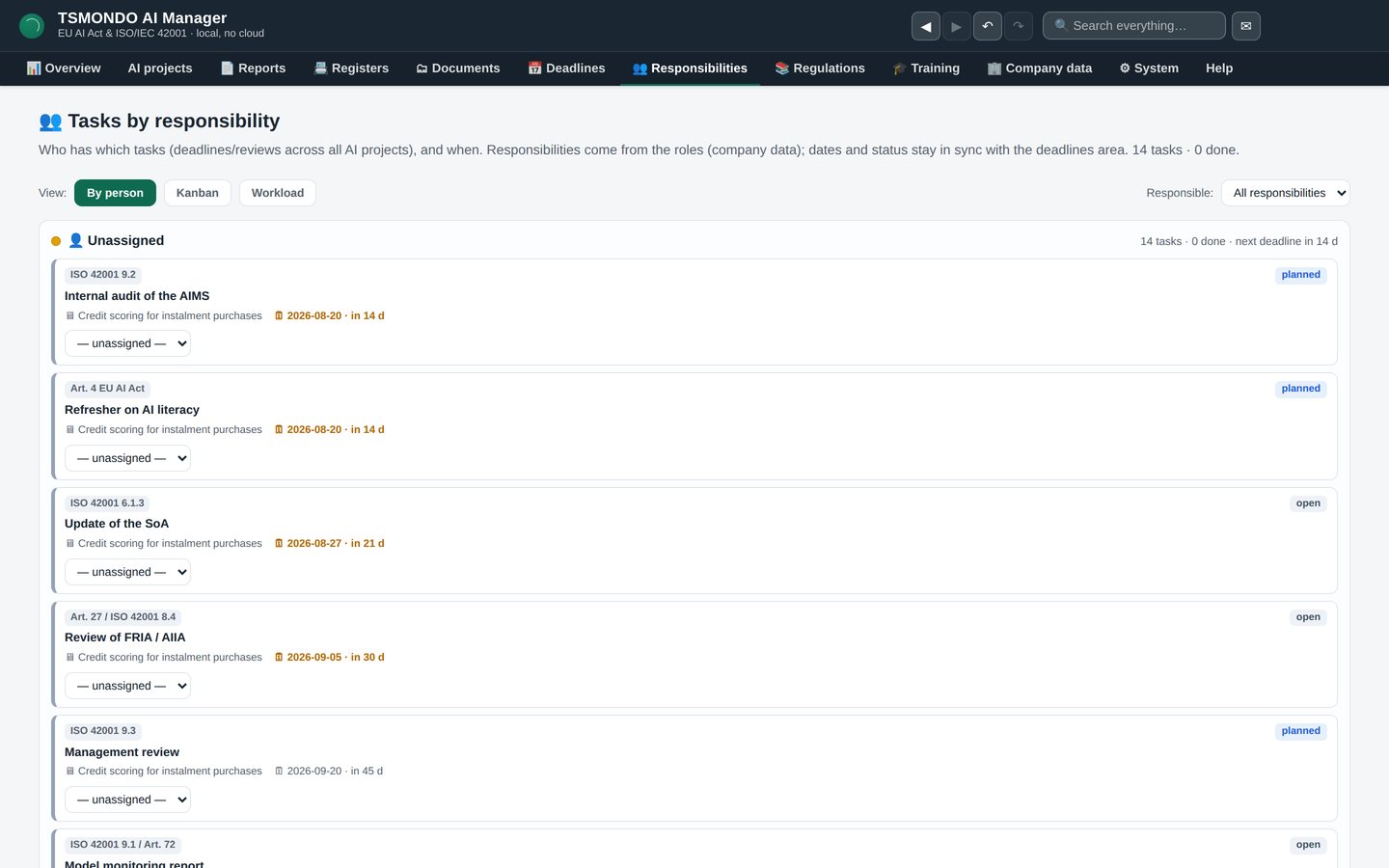
Responsibilities, by person
Who owes what, and by when. Compliance work fails less often on knowing what to do than on nobody owning it.
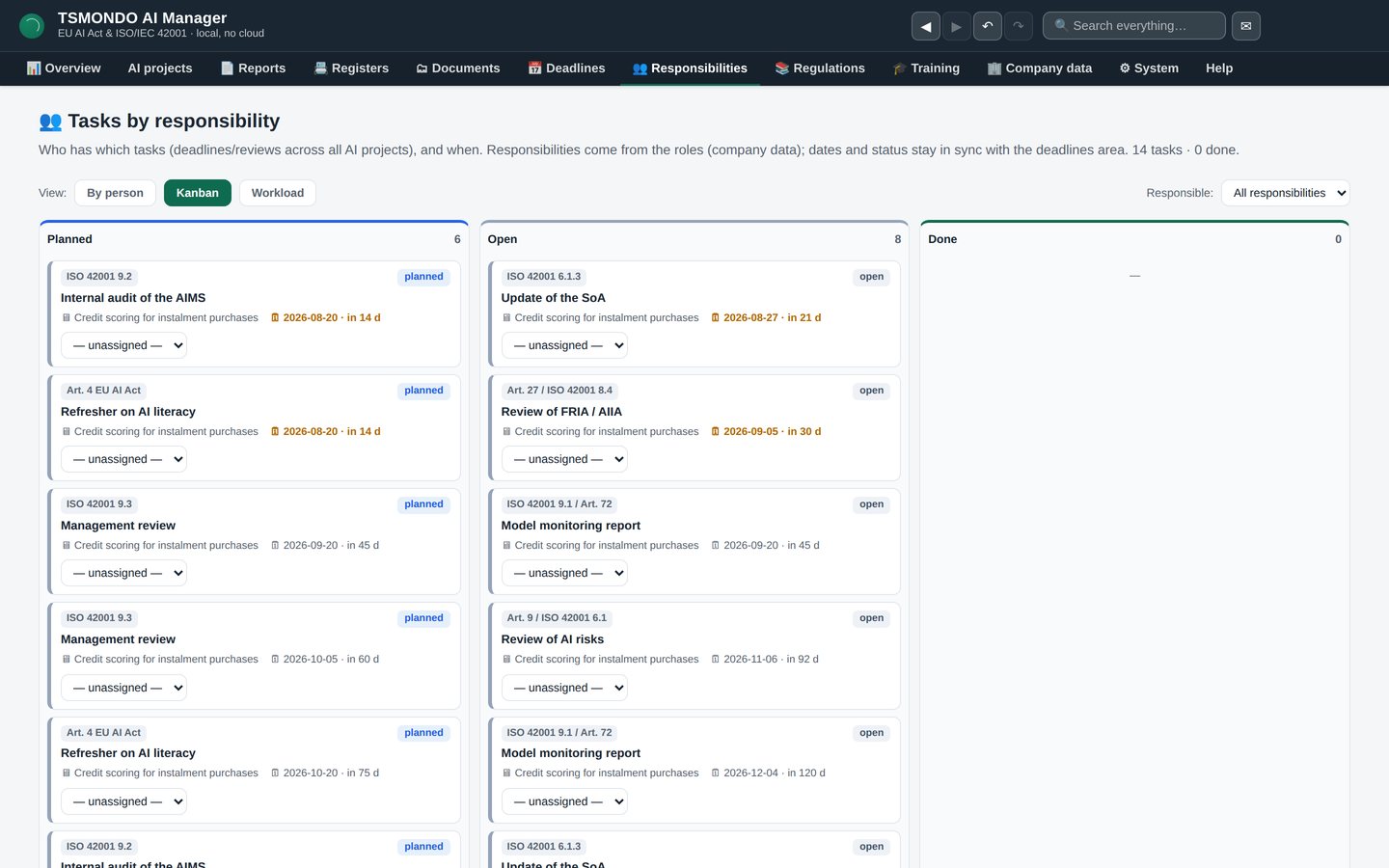
The same work as a board
Planned, in progress, done. For teams that would rather see status than a list.
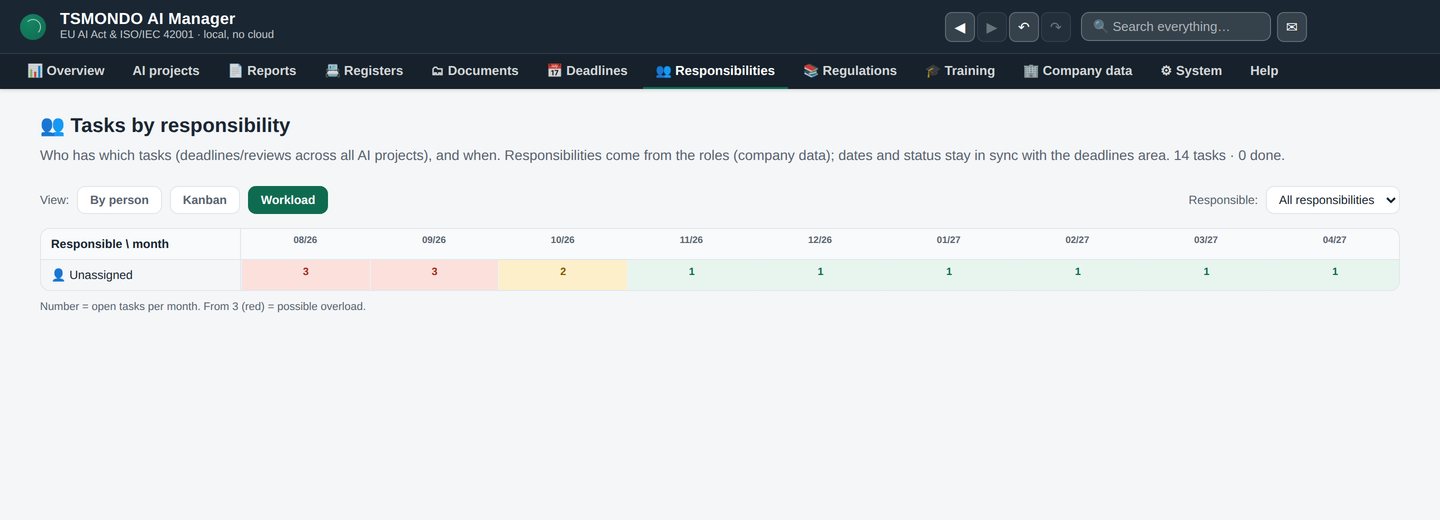
Workload
Where one person carries three deadlines in the same month. Visible before it becomes a missed deadline rather than after.
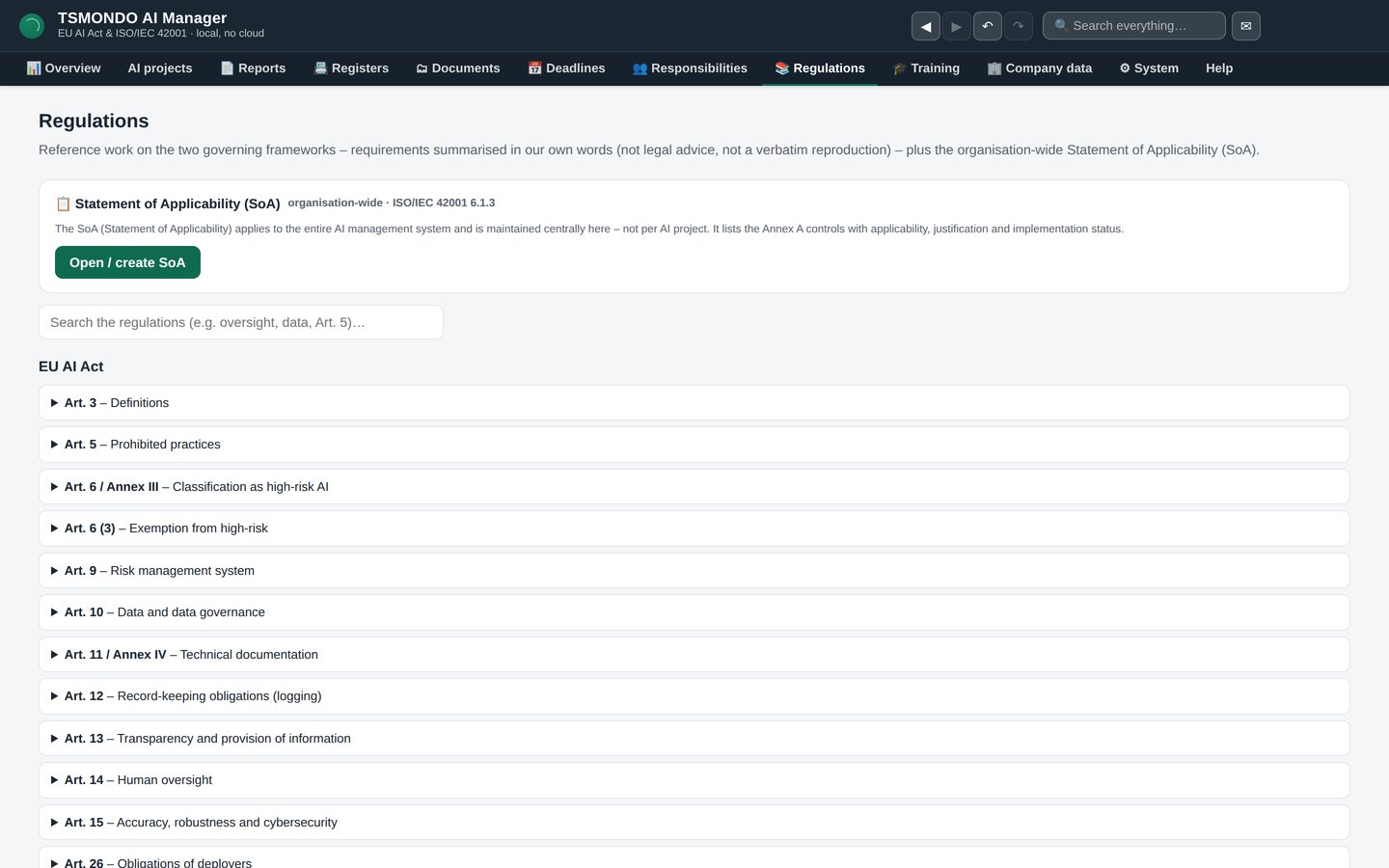
Regulations
Nineteen articles of the AI Act and, for ISO/IEC 42001, all seven main clauses with 32 sections and the 38 Annex A controls — searchable inside the application. Each of the 70 clause points carries a note on how the AI Manager implements it: which tab, which step, what comes out at the end. Fifteen of those notes say the software offers nothing of its own for that point. You can also record who looks at a clause point and how often; those dates run into the deadline calendar. The standard itself is copyrighted and is not reproduced — this works with identifiers and our own wording.
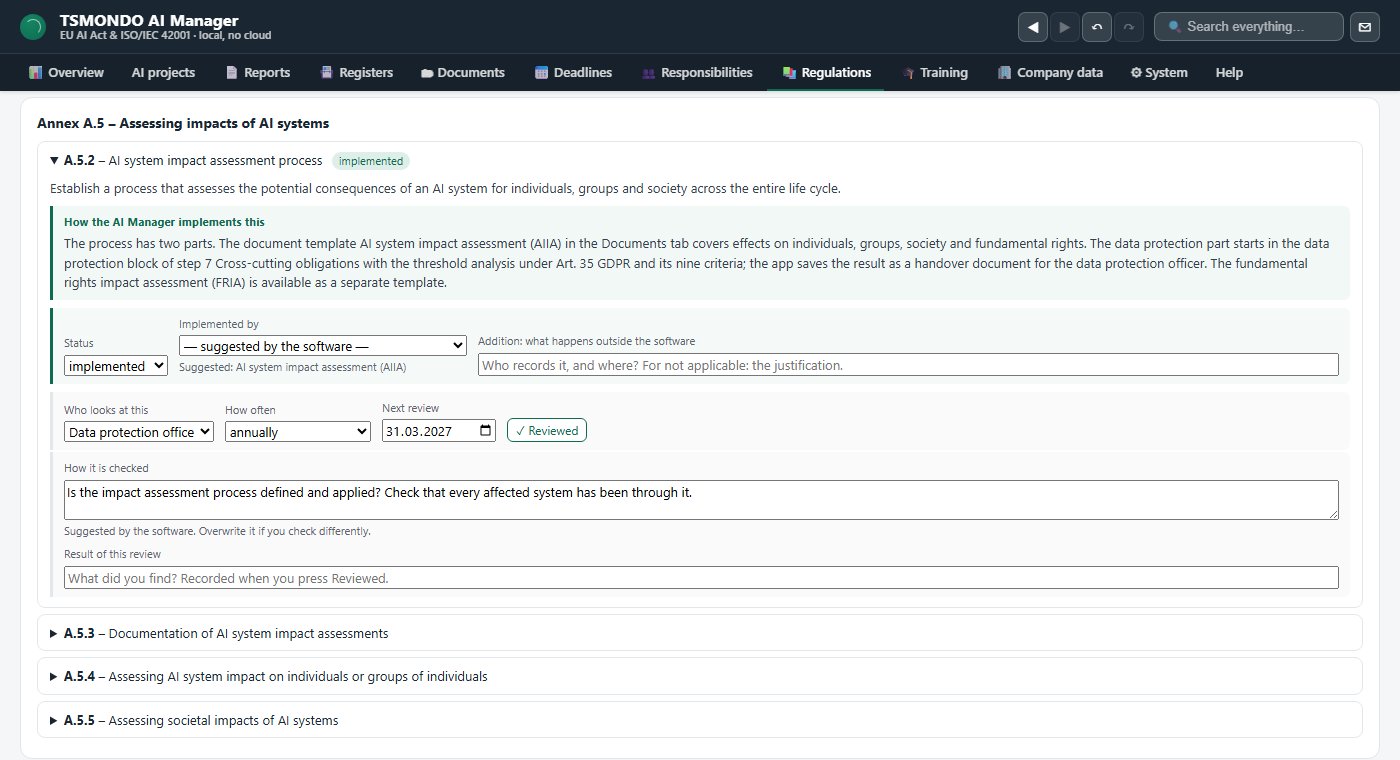
A clause point, opened up
Annex A.5.2 as an example: the requirement, then what the AI Manager actually does for it — here the data protection block in step 7 and the document that comes out of it. Below that the review is pinned down: who looks at the point, how often, and the next date, which runs into the deadline calendar.
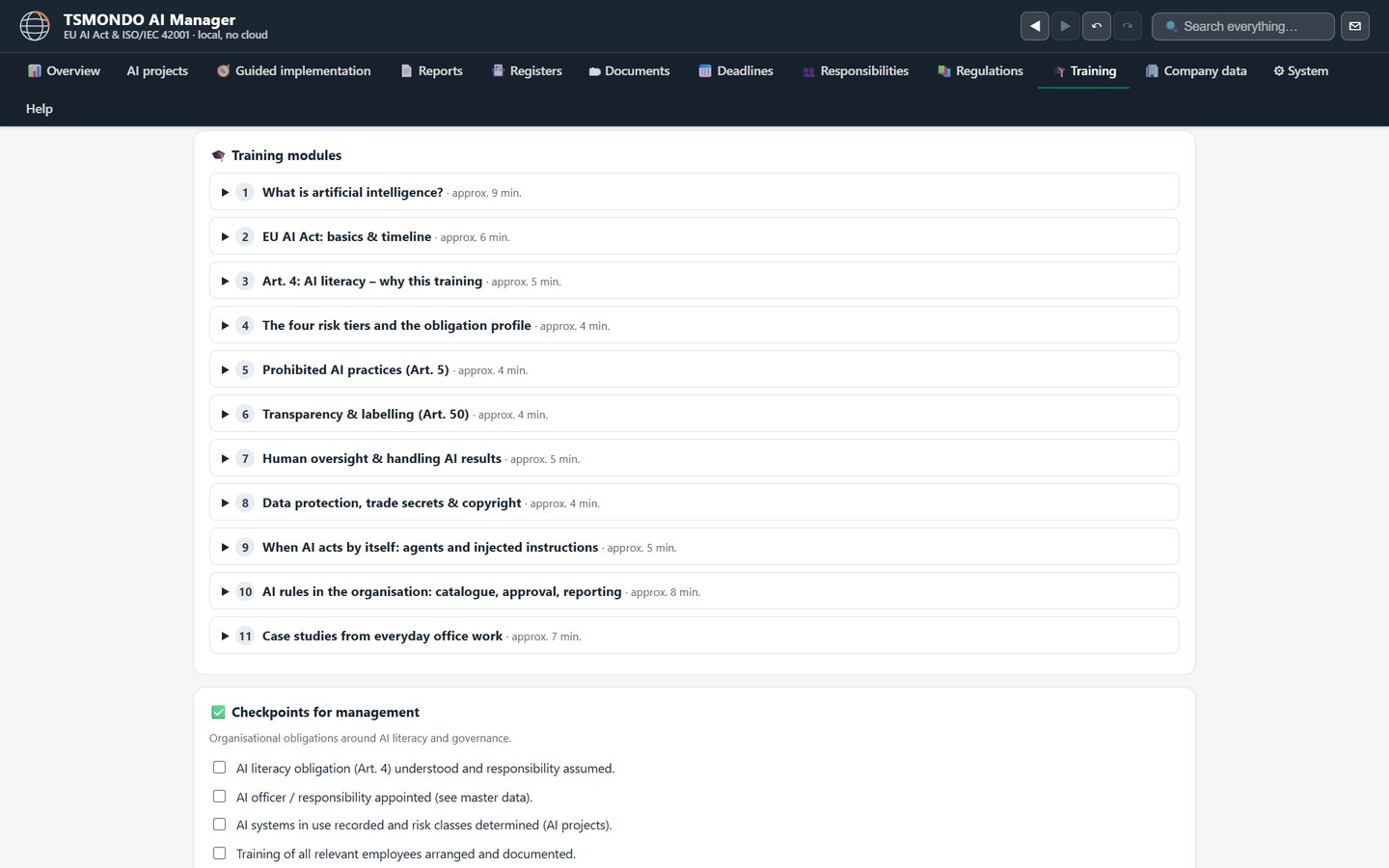
Training
Eleven modules covering the Article 4 AI literacy obligation, tickable per person, with a record you can file. Participants are listed by name instead of in one collective field, the names carried over from the roles you have already defined, and each entry gets a suggested refresher a year on. It is the cheapest obligation to meet and the one most often forgotten.
One licence for the whole company
The price is set by the size of your company, not by the number of users: as many people as you like can use the software throughout your company, at every site, with no extra charge per seat. The prices below are the entry band, for companies with up to 49 employees; from 50 employees the next band applies. One licence covers one company; subsidiaries and sister companies within a group each need their own licence. All prices are net, plus VAT where applicable; the reverse charge procedure applies for businesses in other EU member states with a valid VAT identification number.
Launch offer until : 20% off the first year (annual plan) or the first three months (monthly plan). Enter code START20 at checkout — or apply the offer for an automatic discount.
from EUR 499 per year
- One licence for your whole company, price band by number of employees
- All program versions released during the term included
- Renews for a further twelve months
- Termination in text form, one month's notice to the end of the term
from EUR 49 per month
- One licence for your whole company, price band by number of employees
- Billed monthly in advance
- Renews monthly
- Cancellable with effect from the end of the current month
This offer is addressed exclusively to businesses; there is no right of withdrawal. Our terms and conditions apply.
Request the trial by email
Not sure where you stand? Take the free AI Act checker.
Enter your email address — the download link arrives right away, along with appointment booking and the next steps.
Short and concrete
Does the AI Manager run locally or in the cloud?
Fully local on Windows. No cloud account, no registration and no data leaving your control. The optional AI drafting help runs through Ollama on the same machine.
Does it cover the EU AI Act or ISO/IEC 42001?
Both, and deliberately in one system. The classification, roles and obligations follow Regulation (EU) 2024/1689; the management system follows ISO/IEC 42001 with scope, policy, risk assessment, a statement of applicability under 6.1.3 covering 38 Annex A controls, monitoring, internal audit and management review.
Does it prepare the data protection side as well?
It prepares the handover to your data protection officer. Step 7 of the wizard asks ten questions about the processing — legal basis under Art. 6 GDPR, special categories under Art. 9, data categories, the people affected, recipients, where the data sits and on what basis it may leave the EU, retention, the Art. 13/14 information and the entry in the record of processing activities — and runs the Art. 35 threshold assessment against nine criteria. Out of that comes a handover document with an empty decision block. The AI Manager does not carry out the data protection impact assessment, and it never reports that none is needed: it names what the data protection function has to decide.
Does it cover everything ISO/IEC 42001 asks for?
No, and it says where it stops. The reference section holds all seven main clauses with 32 sections and the 38 Annex A controls, and each of the 70 clause points carries a note on how the AI Manager implements it. Fifteen of those notes state that it offers nothing of its own for that point — metrics with a trend (9.1), the audit programme (9.2), the management review (9.3) and developing your own models (Annex A.6) among them. It builds the structure and the documentation; those four remain your own work.
Does it make my company certified?
No. The AI Manager is a working tool. It does not reproduce the text of the standard, it does not issue a certificate and it does not replace a certification audit or legal advice.
Is there a trial?
Yes, 7 days from the first start, free of charge, no account, no installation and without obligation: enter and save your own data; Word export and watermark-free printing come with a licence. After that your data stays readable. It is a portable ZIP file — unpack it and start it.
What does it cost?
Two subscriptions, both for your whole company, with the price band set by the number of employees. For companies with up to 49 employees: EUR 49 per month net, billed monthly and cancellable to the end of the month; or EUR 499 per year net, billed annually in advance and cancellable with one month's notice to the end of the term. Both renew automatically. All prices exclude VAT (B2B).
How do I buy a licence from outside Germany?
Directly on this page. Use the buttons in the pricing section: you enter your email address and company name, confirm that you are buying as a business, and pay by SEPA direct debit or card through Stripe. The invoice and the licence key arrive by email. For businesses in other EU member states with a valid VAT identification number the reverse charge procedure applies. If you would rather be invoiced without Stripe, write to info@tsmondo.eu with your company name, billing address and VAT identification number.
What language is the software in?
English. The trial download is the English build, and it is the same file you receive when you buy a licence.
Try it before you decide
No installation, no cloud account. If it does not fit, delete the folder — no subscription, nothing to cancel.